 mycards
The card you left at home.
You reach the checkout. Your loyalty card is in another bag.
Already in your pocket.
Keep its barcode on the phone you take everywhere.
Keep the cards you use in the phone you already carry. A store name, a barcode — ready when you need them.
Your everyday cards, all together.
Interactive preview · Fictional cards · Barcode scanning is simulated
Loyalty cards should make shopping easier. MyCards takes care of the little things that get in the way.
You reach the checkout. Your loyalty card is in another bag.
Keep its barcode on the phone you take everywhere.
Cards pile up, but you only need one at a time.
Find the store, open the card and show the barcode.
A weak connection should not stop you using your saved cards.
Add and display cards without an internet connection.
No account to create. No profile to complete. Just the card you want to keep.
Enter the store name so you can find your card again.
Use your phone's camera to capture the code on your card.
Open the saved card and show its barcode to the cashier.
From the first launch, the essentials work offline: add a card, find it and display its barcode. Your saved cards live on your device.
MyCards includes Google AdMob advertising. Ads require internet; your saved cards do not.
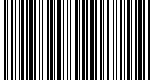
0000 1234 5678
No. You can use MyCards without signing up, creating a profile or choosing a password.
Yes. You can add, open and display saved cards offline. Store downloads and Google AdMob ads require an internet connection.
Acceptance depends on the store and its scanners. Some retailers require the original card or their own app. Keep the physical card when required.
On your device. MyCards does not provide its own cloud sync. Your operating system may include app data in backups, depending on your settings.
English, Italian, Spanish, French, Portuguese (Portugal) and German.
Yes. MyCards integrates Google AdMob. The privacy policy explains advertising-related data separately from the cards stored on your device.
The iOS version is coming soon. There is no App Store download link yet.
Get MyCards for Android. Your next card is a name and a scan away.